


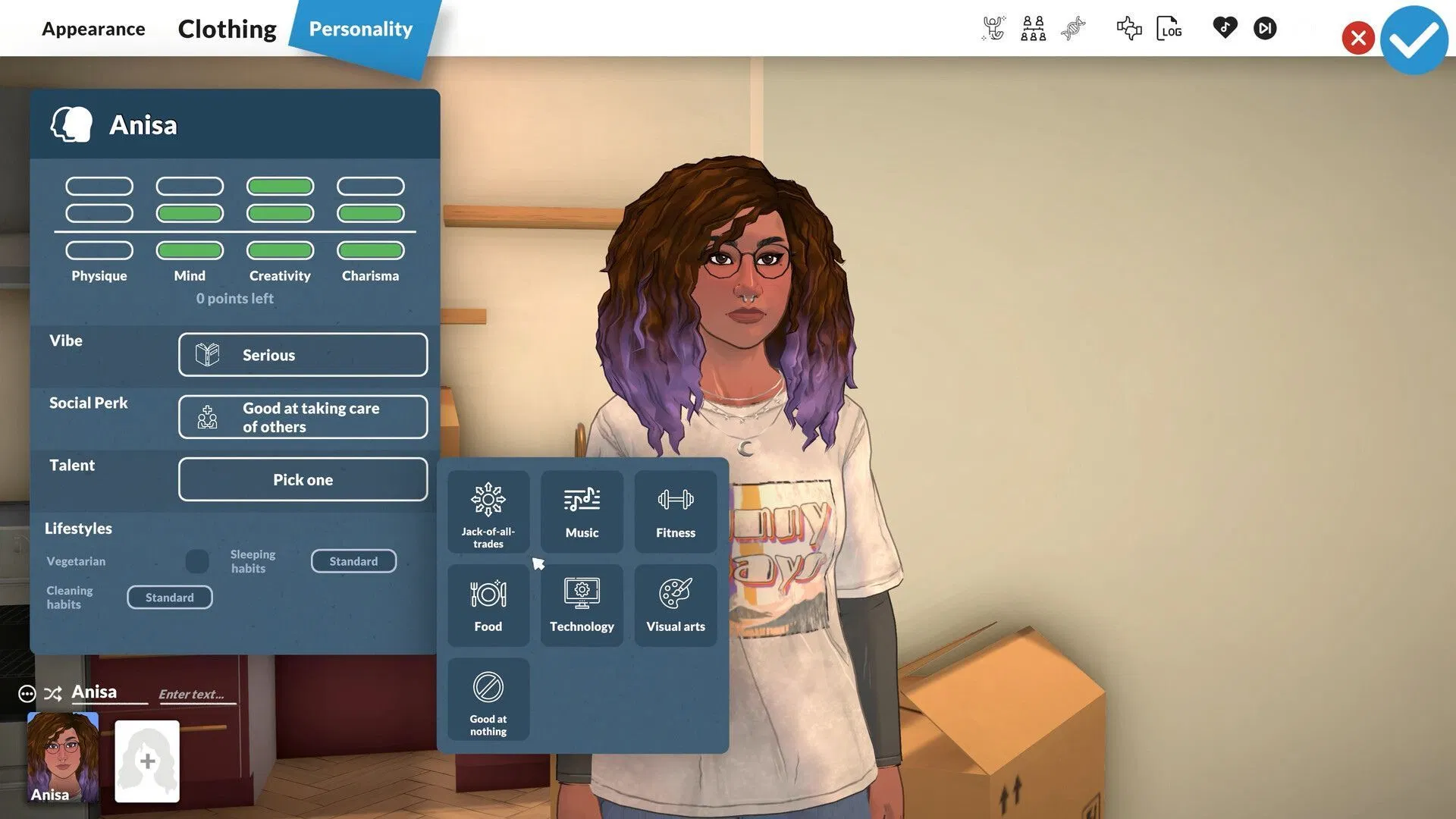

Character customization in Paralives is a unique experience. Like some of the other Sims-like games, this one grants you access to everything you’ll need to create the perfect Parafolk. Besides appearance, you can also customize your character’s Vibe, Social Perk, Talent, Lifestyle, Sleeping, and Cleaning Habits.
That said, this article discusses everything you need to know about character customization in Paralives.
Character customization in Paralives: everything you need to know
In Paralives, you can customize your character through the Paramaker feature. It allows you to change everything about the selected Parafolk. When you open the tool, you’ll be presented with the character on the right, while all the customizations will be on the opposite side. Like the Build mode, most of the options will be on the left side. Primarily, there are two sections in the customization screen: Appearance and Clothing.
Here are all the settings each aforementioned section offers:
Appearance

In appearance, you can customize the body of your Parafolk. While there are pre-made Body Presets that you can use, making one to your liking is a unique experience. You can change the size of each limb, while also granting you free rein over the character’s height. Furthermore, you can change the skin color of your Parafolk.
When you are done building the body, you cna move onto the face. Unlike the first one, there are a lot of customizations for the face. You can change the character’s eye shape, eyebrows, color, and more. On top of that, you can choose a nose, lips, forehead, face shape, and facial hair of your choice.
Moving on, head to the Hair customization section. There, you’ll find various options to choose from. Since every hairstyle is categorized into Short, Medium, and Long hair, choose the one you like the most. After selecting one, change the color to your preference and move to the next stage.
Lastly, you can put tattoos on your Parafolk. Like the other customization settings, you can change its placement and size.
Also read: Paralives release time countdown (Early Access)
Clothing
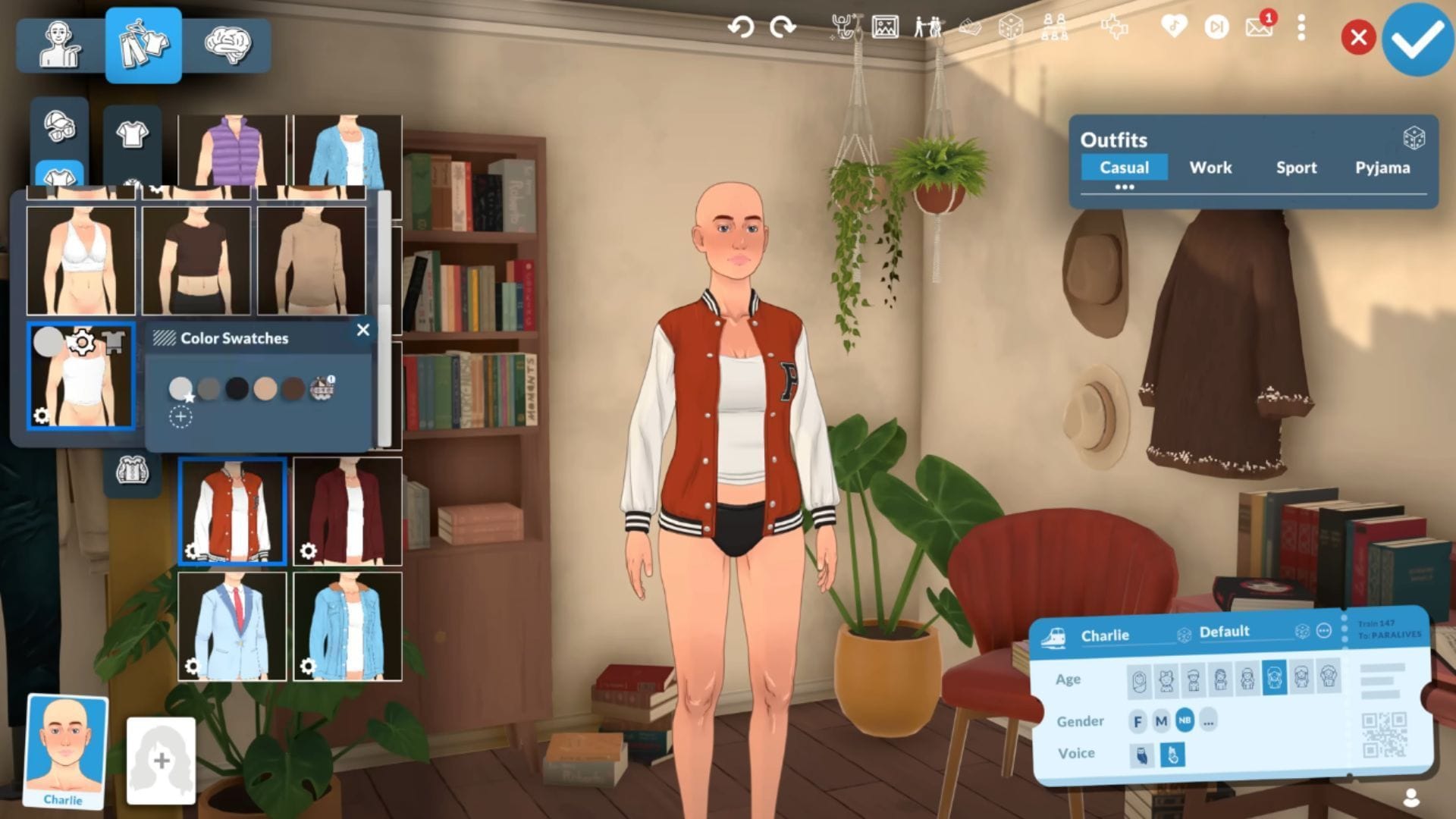
When you are finished customizing the body, switch over to the Clothing section. We recommend choosing the outfit first and focusing on accessories later. Since there are many options to choose from, select the ones you like the most. If you want, there are some silly outfits available in this title, which you can make your Parafolks wear.
When you have selected clothes, pick shoes that match the outfit, same goes for the accessories. Move on to the next set after finishing the first set. Since there are four outfit sets: normal, formal, workout, and sleepwear, make sure to select the right clothes for the right occasions. Since everything is categorized, you’ll find the right ones very easily.
Once you are done, you can exit the Paramaker feature after finalizing all the changes.
Also read: Inzoi vs The Sims: All similarities and differences explored
Stay tuned to Sportskeeda’s Esports and Gaming Section for more related news.
Are you stuck on today’s Wordle? Our Wordle Solver will help you find the answer.
Edited by Argha Halder
