



Wuthering Waves 3.8 update is set to launch on November 12, 2026, and among many things players are expecting from this patch are new redemption codes. We have received occasional promotional codes containing Astrite, Shell Credit, and character development materials. Kuro Games shares more of them during the special livestream events.
This article will further help you track all the active Wuthering Waves (WuWa) 3.8 codes:
All Wuthering Waves 3.8 redeem codes and rewards

Here are the codes available in the Wuthering Waves 3.8 update:
- WUTHERINGGIFT: Astrites x 50, Premium Resonance Potions x 2, Medium Energy Bag x 2, Medium Revival Inhaler x 2, Shell Credits x 10,000
As of writing, WUTHERINGGIFT appears to be the only active one. This is a permanent code available since the game was launched and it can be redeemed only once per account.
Follow the game’s official social media accounts for new redemption codes. Kuro Games may share new ones there. You can expect to at least get three new WuWa codes from the upcoming livestream event. We will update the list once they are available.
Recently expired WuWa codes:
- STARRYSTAGE2: Astrites x 80
- KEEPONSHINING: Astrites x 80
How to redeem codes in Wuthering Waves 3.8
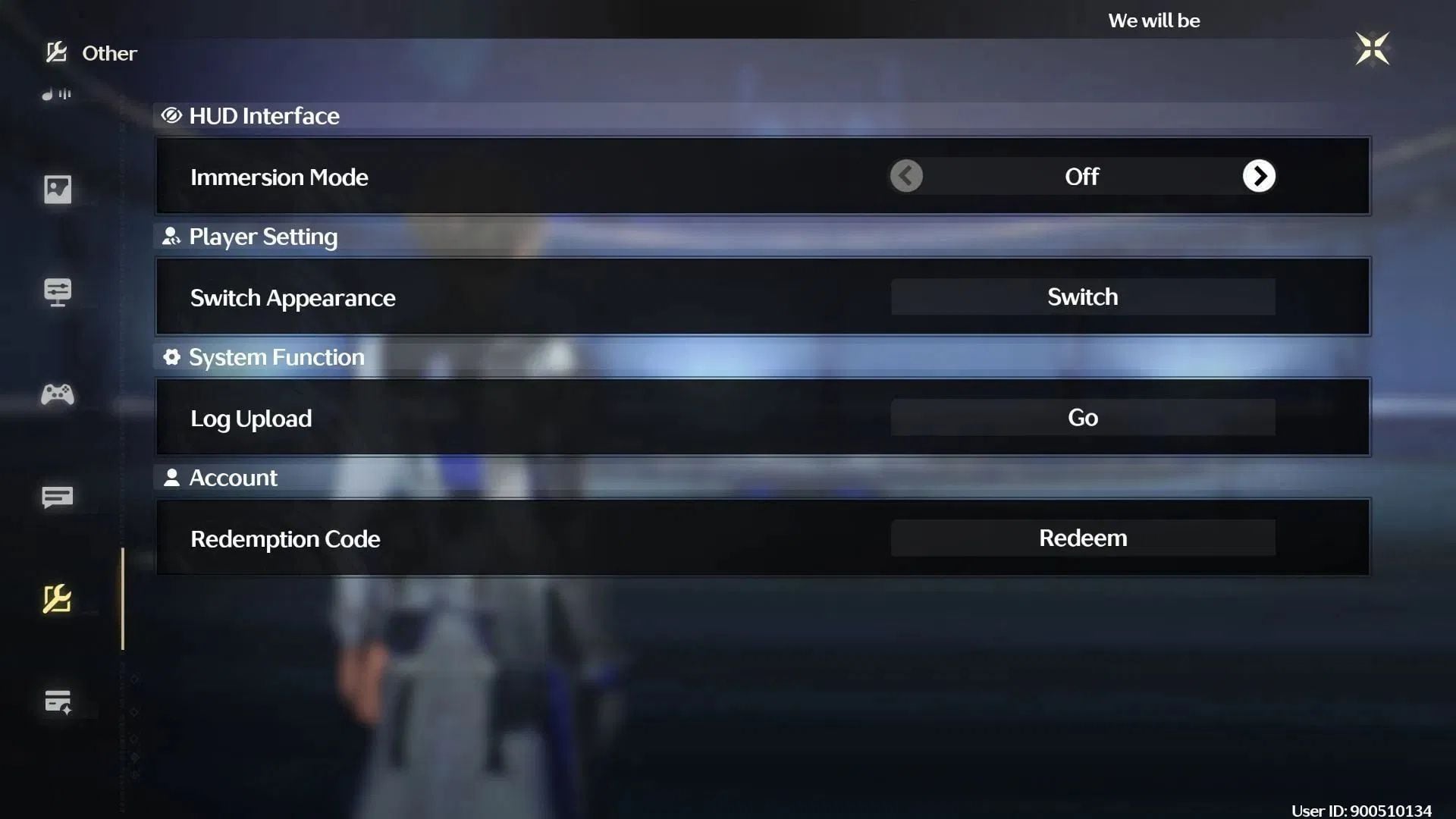
You can obtain Astrite, Shell Credit, and other rewards in Wuthering Waves 3.8 from the active codes. The redemption process is quite straightforward:
- Launch the game from any device.
- Log in and click on the top-right icon to bring up the Pause menu. You can also press ESC on the keyboard to access the interface.
- Enter the Settings menu by clicking on the cogwheel icon.
- Navigate to the Other Settings tab.
- Click on the Redemption Code button. Doing so will open a pop-up window.
- Insert a code in the blank area.
- Click on Confirm to exchange the rewards.
- Use the above steps to redeem the remaining livestream codes.
Copy and paste the codes instead of manually typing each of them to avoid errors. Once you successfully complete the redemption, the reward will be sent to your account via the in-game mailbox. Just click on the envelope icon from the Pause menu to access it.
Check out our other articles:
Are you stuck on today’s Wordle? Our Wordle Solver will help you find the answer.
Edited by Akash Paul
