


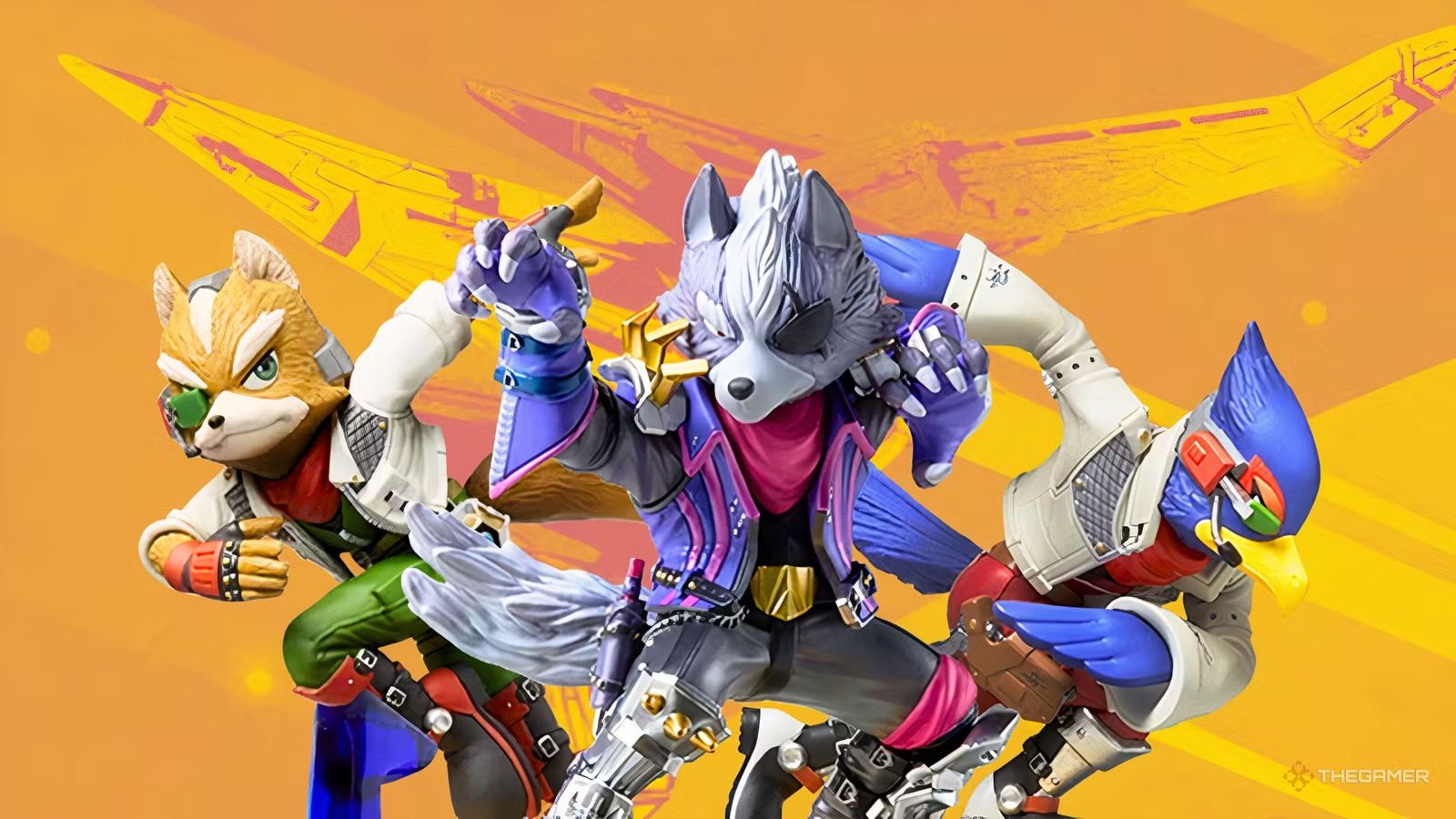
Being a first-party Nintendo game, it’s no surprise that the newest Star Fox remake is compatible with amiibos and offers players in-game rewards if they scan them. However, at this time, Star Fox has not received any new amiibos to celebrate this game’s release, so you’ll only be able to scan a few older ones.
Specifically, the only amiibos you’ll be able to scan in Star Fox are the Super Smash Bros. Ultimate ones of Fox, Wolf, and Falco. Since these are not amiibos designed exclusively for this game, the reward unlocks will all be purely cosmetic, but if you’ve got the amiibos already, there’s no reason not to go ahead and scan them.
All Amiibo Unlocks
As mentioned, all the rewards for scanning these amiibos will be cosmetic. When you scan the amiibos, each one unlocks a Battle Banner and three Battle Banner emblems. Specifically, you’ll get a Battle Banner showcasing that character and three emblems that include a portrait shot, profile shot, and footprint of that character.
For an overview of every amiibo unlock, please see the table below:
|
Fox Amiibo |
|
|
Battle Banner |
Battle Banner Emblems |
 |
|
|
Wolf Amiibo |
|
|
Battle Banner |
Battle Banner Emblems |
 |
|
|
Falco Amiibo |
|
|
Battle Banner |
Battle Banner Emblems |
 |
|

Star Fox On Switch 2 Is Now The Definitive Way To Play This Nintendo Classic
You can stop wondering whether Star Fox needed another remake. This is an almost-perfect version of one of the best games Nintendo has ever produced.
How To Scan Amiibos In Star Fox

Scanning amiibos in Star Fox is relatively simple, but it does vary a little depending on the type of controller you’re using. To start, open the amiibo screen, which you’ll find at the top-left of the home menu, next to the settings.
You should see the amiibo icon there, which will bring you to the screen where you can scan your amiibos. You will not earn rewards if you scan anywhere other than on this screen.
Once you select it, it will automatically begin showing a display of how to scan amiibos on your controller, but for reference, here are the places you’ll tap your amiibo depending on your controller:
- Pro Controller: You’ll tap the base of the amiibo to the upper center of the controller.
- Joy-Cons: You’ll tap the base of the amiibo to the surface of the right analog stick on the right Joy-Con.
As long as you’ve done this correctly, you should see the screen change to show which amiibo was scanned and give you a small list of the rewards that were unlocked.
You’ll need to repeat this process with all three Smash amiibos to unlock all the amiibo rewards, but once you’ve done that, you’re done, and you’ll find the rewards on the Battle Banner customization screen. The Battle Banner customization screen is also found in the upper left corner of the main menu screen, where you see your name listed.
Star Fox: Complete Guide To Alternate Routes
How to find and unlock every alternate route and the true ending in Star Fox on Switch 2.
